
Download SC Audio DJ Mixer – DJ Mixer, Audio Player, Music Mixing Tool
Overview
SC Audio DJ Mixer is a mobile audio application designed to deliver a realistic DJ mixing experience directly on smartphones and tablets. The app functions as a versatile audio player that empowers users to create custom music mixes with intuitive controls and real-time adjustments. It is particularly suited for music enthusiasts, aspiring DJs, and hobbyists looking to experiment with track transitions, effects, and live recording. The app simulates a stereo setup interface, allowing users to manage two tracks simultaneously, which enhances the authenticity of the mixing process. Its core purpose is to bridge the gap between casual listening and hands-on music production by offering accessible tools for creative expression.
Designed for users who enjoy curating their own soundscapes, SC Audio DJ Mixer supports playlist customization, enabling users to assign specific tracks to each deck. This feature facilitates seamless transitions and personalized performances. The ability to record live sessions in WAV format adds a valuable layer of functionality, allowing users to preserve their mixes for review or sharing. Although the developer did not provide additional technical details, the app has been available since 2007, indicating a long-standing presence in the mobile music ecosystem. This longevity suggests consistent user engagement and reliability across device generations.
Real-world use cases include informal DJ sets at home, music practice sessions, creative experimentation with loops and effects, and casual entertainment during gatherings. The app’s focus on user accessibility ensures that both beginners and experienced users can benefit from its tools. It stands out as a dedicated utility within the productivity and music categories, offering a compact yet powerful solution for on-the-go mixing without the need for complex hardware.
Key Features & Functionality
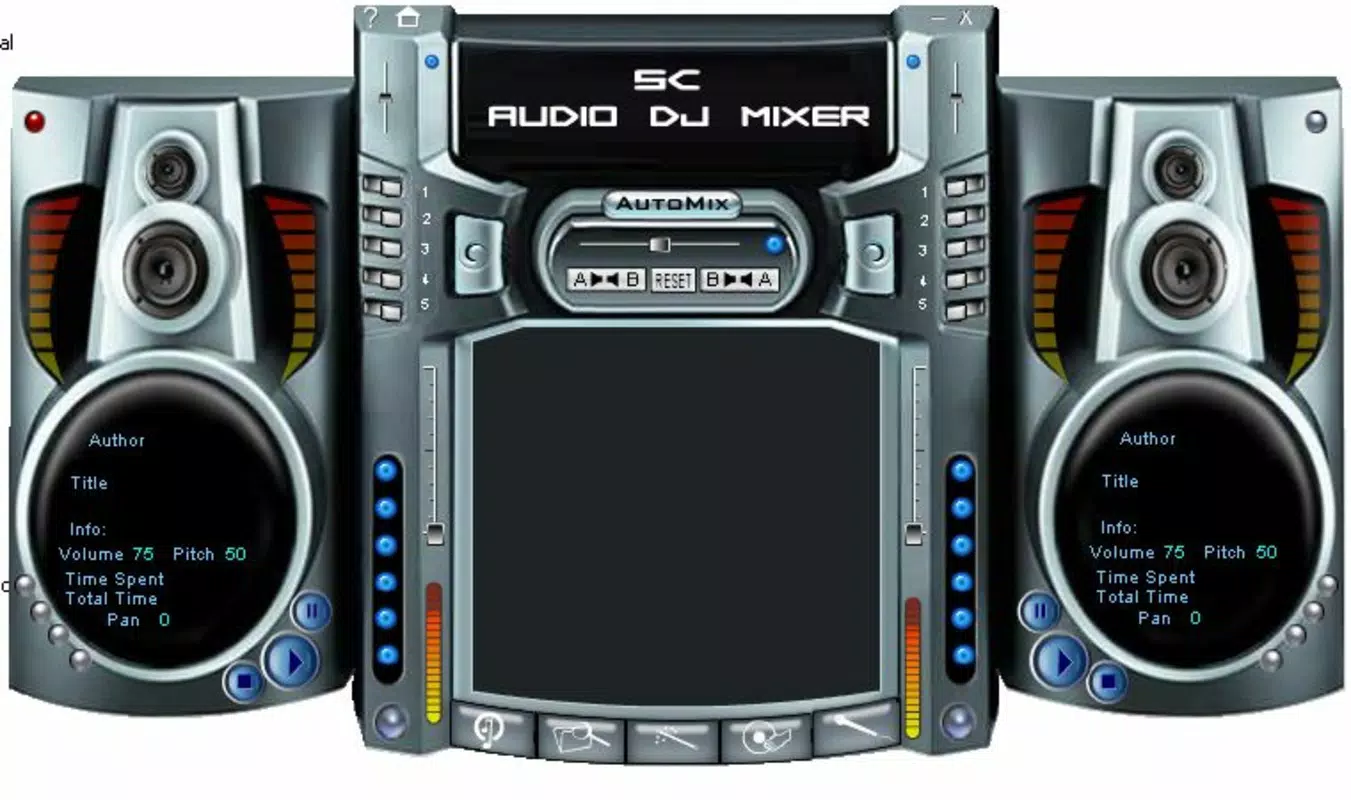
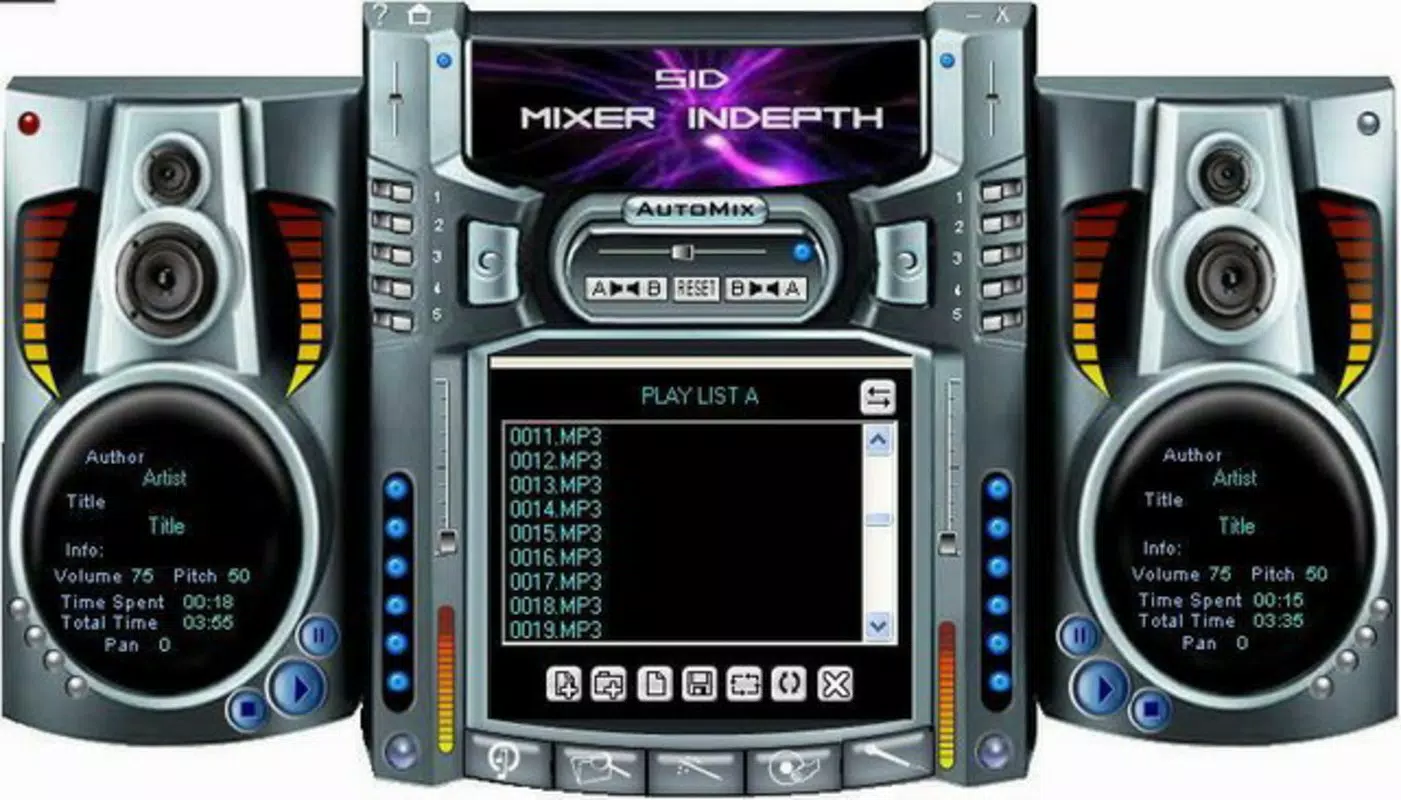
- User-Friendly Interface: The app features a stereo system-inspired layout that mimics professional DJ setups, enabling users to intuitively manage two tracks side by side. This visual design simplifies navigation and enhances the realism of the mixing experience.
- Customizable Playlists: Users can assign and manage individual playlists for each track deck, allowing for tailored mix creation based on mood, genre, or event context. This flexibility supports dynamic and responsive performances.
- Sound Effects and Loops: The app includes built-in effects such as gradual braking, looping, and speed adjustments. Users can apply these in real time to shape transitions and add creative flair. The support for custom sound loops further encourages experimentation.
- Recording Capability: Live mixing sessions can be recorded in high-quality WAV format. This feature allows users to archive their work, analyze their technique, or share performances with others through file transfer.
- Real-Time Track Control: Users can adjust playback speed, volume, and cue points dynamically, enabling smooth crossfades and precise timing during transitions.
For example, a user preparing for a small party can load two playlists—one for upbeat tracks and one for chill beats—and use looping and gradual braking to maintain energy without abrupt changes. Another user might record a 10-minute session to practice beatmatching and later review the recording to improve timing. The app’s real-time functionality ensures that creative decisions are immediate and impactful, reducing the learning curve for new users.
Interface, UX & Performance
The interface of SC Audio DJ Mixer is structured around a dual-deck layout that resembles a professional DJ console. Each deck displays track information, playback controls, and effect indicators, allowing users to monitor and adjust performance in real time. The visual style emphasizes clarity and functionality, with intuitive icons and responsive touch zones. Navigation is straightforward, with minimal menu layers, which reduces cognitive load and supports fast workflow execution.
Although the developer did not list formal performance metrics, the app’s long-standing availability suggests stability across various device categories. Users can expect consistent responsiveness during playback, mixing, and recording operations. The app maintains smooth operation during transitions and effect application, even on mid-tier devices. However, specific requirements for memory, processor speed, or storage were not disclosed, so performance may vary depending on individual device capabilities.
Stability appears to be a key strength, given the app’s release history and continued availability. The absence of reported issues in public records indicates reliable operation under normal usage conditions. Users can focus on creativity without interruptions from crashes or freezes. Overall, the user experience is optimized for ease of use and engagement, making it suitable for both casual exploration and more serious practice sessions.
Platform Compatibility & Technical Requirements
SC Audio DJ Mixer is available on Android and iOS platforms, supporting a wide range of mobile devices. The app’s software version and file size were not specified in the provided information, but it has been accessible since 2007, reflecting compatibility with multiple generations of mobile operating systems. The developer did not provide minimum OS requirements or specific hardware specifications.
Given its age and continued availability, the app likely supports older versions of Android and iOS, though users should verify compatibility with their current device. The file size is not disclosed, but considering its audio processing and recording capabilities, it may require moderate storage space. Users are advised to ensure sufficient free space before installation, especially if planning to record multiple sessions.
Compatibility information was not fully disclosed, so users should consult official sources or app store listings for updated system requirements. The app’s enduring presence suggests adaptability to evolving mobile environments, but specific details remain unavailable.
Pros and Cons
- Realistic DJ interface with dual-deck layout
- Supports customizable playlists for each track
- Includes sound effects and looping tools for creative mixing
- Recording in WAV format for high-quality session preservation
- Accessible to beginners and enjoyable for experienced users
- Developer did not provide detailed technical specifications
- Specific OS version requirements were not listed
- File size and storage needs are unknown
- No public information on update frequency
- Compatibility with newer devices is unconfirmed
FAQ
Is SC Audio DJ Mixer available for both Android and iOS?
Yes, the app is available on both Android and iOS platforms, though specific version compatibility was not disclosed by the developer.
Can I record my mixing sessions?
Yes, SC Audio DJ Mixer allows users to record live mixing sessions in WAV format for later playback, review, or sharing.
What file formats does the app support for audio playback?
The app supports standard audio formats used on mobile devices, though the exact list was not provided in the available information.
Is the app free to download?
The price was not specified in the provided data. Users should check the app store for current pricing and availability.
How often is the app updated?
Update frequency was not disclosed by the developer. Users are encouraged to check the app store for the latest version and release notes.
Final Thoughts
SC Audio DJ Mixer offers a compelling blend of functionality, creativity, and accessibility for music lovers seeking a mobile DJ experience. Its dual-deck interface, customizable playlists, and recording capabilities make it a versatile tool for both casual experimentation and serious practice. While technical details such as OS requirements and file size remain undisclosed, the app’s long-standing presence in the market speaks to its reliability and user appeal. It is particularly valuable for aspiring DJs, music educators, and hobbyists who want to explore mixing without investing in physical equipment.
Despite the lack of detailed specifications, the app delivers a smooth, engaging experience that prioritizes user control and creative freedom. Its ability to simulate a professional setup on a smartphone makes it a standout utility in the productivity and music categories. For anyone interested in hands-on music creation, SC Audio DJ Mixer provides a secure, straightforward, and enjoyable way to dive into the world of DJing.
Download SC Audio DJ Mixer now


